This article contains affiliate links. You pay nothing extra. More info
Somewhere between a phone mounted on your handlebars and a full-blown touring GPS lies a small category of devices that quietly changed how I ride: dedicated bike computers with navigation. After years of testing different setups on multiday trips, I’ve landed on the Wahoo Elemnt Bolt 2 and it’s the layout, more than any single feature, that keeps me coming back to it.
Why a Dedicated Device at All
A phone can do almost everything a bike computer does routing, speed, elevation, even music control. But it also drains fast, struggles in direct sunlight, rain and the risk of falling or breaking your only lifeline. A dedicated device is built for exactly one job: staying readable and useful for ten hours a day, rain or shine, without you having to think about it.
What Actually Matters: Screen Structure, Not Feature Count
It’s tempting to judge these devices by spec sheets sensor compatibility, mapping detail, battery life. But after enough kilometers, what determines whether you actually enjoy using a computer is how the information is organized across its screens. Too many pages and you’re swiping constantly. Too few and you’re squinting at six numbers crammed onto one line. The sweet spot, for me, is exactly what the Bolt 2 defaults to: three or four clean, purposebuilt pages.
My Setup on the Wahoo Elemnt Bolt 2
Page 1 The riding page. Current speed, average speed, and distance covered, in a clear, large layout. This is the page I glance at ninety percent of the time, so it needs zero interpretation just numbers I can read in half a second without breaking rhythm.
Page 2 Elevation. A dedicated screen with current elevation and climbing data. On a day with real vertical meters, this is the page that tells the honest story of how the ride is actually going, separate from the speed numbers on page one.
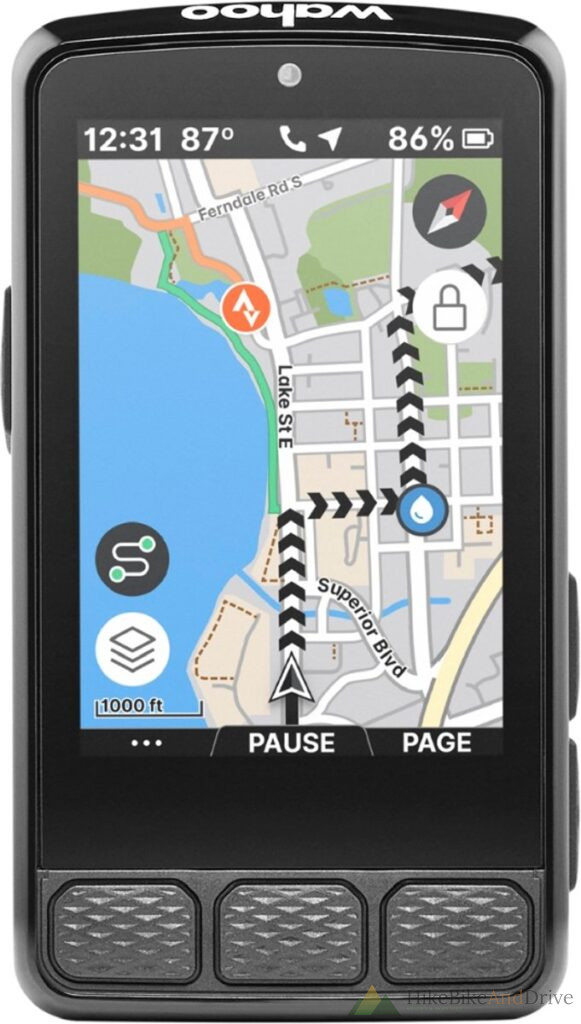
Page 3 Map and mixed data. The route itself, paired with a secondary data field like speed or another metric of choice. This is where navigation happens I don’t need the map cluttering every screen, just the one where I actually need to check I’m still on course.
Page 4 Music and podcasts. If I’ve got something playing through a connected headset, this page gives we simple playback control without having to dig out my phone. On long, flat stretches this is genuinely one of my favorite features skip a track or pause a podcast at a junction without ever unclipping.
Why This Layout Works So Well for Touring
The real strength of this setup isn’t any one page it’s that each page has exactly one job. There’s no scrolling through a dense dashboard trying to find the number you need. You know intuitively which page has what, so a glance at the right moment tells you exactly what you need to know: how fast, how far, how much climbing is left, or where the turn is. For multi-day rides where mental energy is a limited resource, that predictability matters more than any advanced feature buried three menus deep.
The Successor: Wahoo Elemnt Bolt 3
Wahoo has since released a third generation of the Bolt. On paper it’s a clear upgrade over my Bolt 2: a bigger 2.3-inch screen with a 16-million colour display instead of the old 64 colour panel, dual band GPS for better accuracy under trees and between buildings, more onboard storage, and up to 20 hours of battery life. It also gains proper on-device rerouting tools like Back on Track and Route to Start, so if you go off course the unit can guide you back without you touching your phone.
Whether that’s worth the upgrade is another question. Several reviewers who’ve tested it note that the extra polish comes with a slightly steeper interface, and that the improved screen doesn’t necessarily mean better sunlight readability than the Bolt 2. For someone who values the exact page-based simplicity I described above, the Bolt 3 keeps that same philosophy it just adds more resolution and navigation smarts around the edges rather than reinventing how the pages work.
The Rest of the Wahoo Lineup
If the Bolt’s compact size isn’t for you, Wahoo’s range breaks down clearly:
- Elemnt Roam, the bigger sibling, with a larger touchscreen and voiced turn-by-turn directions through a built-in speaker. It trades a bit of aerodynamic minimalism for a display that’s easier to read while navigating unfamiliar routes, which makes it a popular pick for touring and exploration.
- Elemnt Ace, Wahoo’s toptier model, aimed at riders who want the most complete data and mapping experience the brand offers, at a higher price point than the Bolt or Roam.
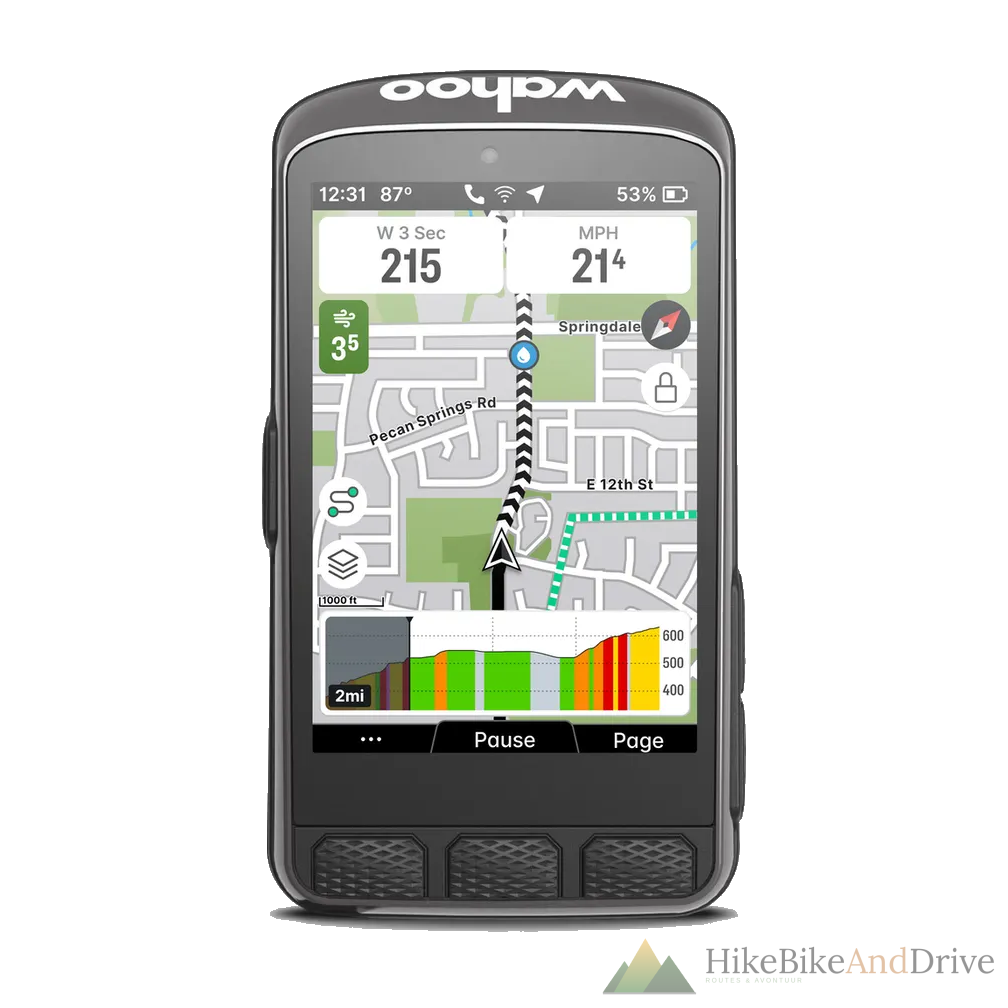
The Bolt stays the smallest and simplest of the three, which is exactly why it suits my riding style I want data at a glance, not a bigger screen to manage.
How Garmin Compares
Garmin’s Edge series is the other major name in this space, and the two brands take genuinely different approaches. Garmin builds for depth: more advanced training metrics (recovery time, training load, VO2max estimates), stronger MTB-specific data, and on higher end models solar charging for extra battery life on long days. Its mapping and turn-by-turn navigation are generally considered more capable out of the box, which matters if you frequently ride unfamiliar terrain without a preloaded route.
That depth comes at a cost in simplicity. Garmin devices tend to have a steeper setup process and a more button or menu heavy interface, especially compared with how quickly a Wahoo pairs and configures through its app. Wahoo, by contrast, leans into a cleaner interface and tighter third party integration with apps like TrainerRoad and Zwift, at the cost of some of that deeper on device analysis.
In short: if you want the most complete navigation and training analysis package and don’t mind a longer setup, Garmin’s Edge line is worth a look. If you’d rather have a device that gets out of your way and just shows you what you need, page by page, Wahoo’s approach mine included is hard to beat.
Load Your Own Routes
Whatever device you end up riding with, the screen is only half the story the route loaded on to it matters just as much. Our own route planner lets you plot a course through the Netherlands or further afield and export it straight to GPX, ready to drop onto your Wahoo, Garmin, or whatever computer you’ve got mounted on your bars.
The Takeaway
The best navigation device isn’t the one with the most features it’s the one you stop thinking about once you’re rolling. For me, that’s four pages, each doing one thing well: speed and distance, elevation, map and data, and music. Simple enough to trust at a glance, complete enough to never leave me wondering.
What’s on your bike computer’s screens? I’d love to hear how other riders have set theirs